- Home
- Our Products
- Aneidya Media Player

Aneidya Media Player
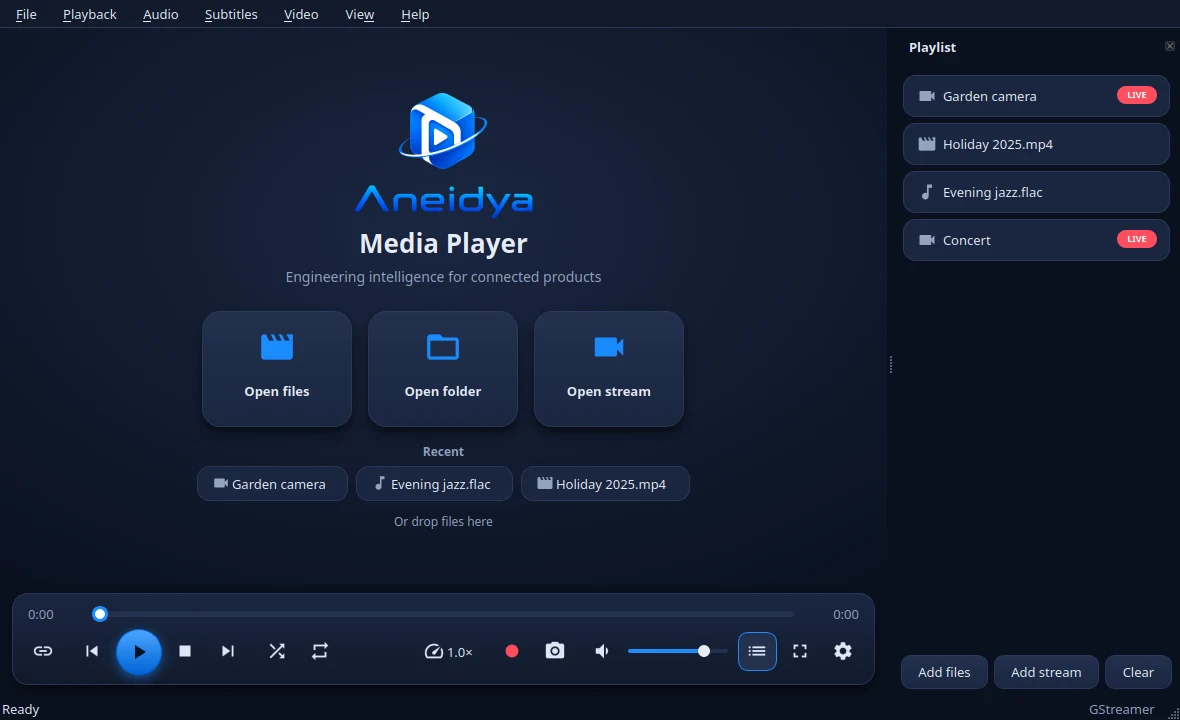
A free viewer built for IP cameras and live streams, with delay as low as 50 ms, automatic reconnect and one-click recording. Its camera wall shows up to 16 cameras at once, finds the cameras on your network and turns cameras that pan and tilt. It is also a complete everyday player for local video and audio.
AppImage, about 74 MB. One file, nothing to install.
Made for watching cameras in real time.
Not minutes behind, not buried in settings. Everything you need to watch, check and record live video.
The camera wall: up to 16 cameras at once, each with the same low delay.
Built for live video
Pick how much delay you accept, from 50 ms to 3 s, or turn on Lowest latency to show every frame the moment it is decoded.
Camera wall
Watch 1, 4, 9 or 16 cameras at once. AMP finds ONVIF cameras on your network, and saved walls open with one click.
Pan, tilt and stream health
Turn cameras with arrows on the picture or the arrow keys. See resolution, frame rate, bitrate and dropped frames on every tile.
Stays connected
When a camera drops, AMP reconnects by itself, waiting a little longer each time. A LIVE badge always shows what you are watching.
Camera passwords stay private
Passwords are never stored in settings or history and are masked everywhere. Saved walls keep them in your desktop's password store.
Record while you watch
One click saves the live stream to a standard .ts file in your Videos folder.
Nothing to install
Download one file and run it. No admin rights, no extra libraries, no package manager, and it works offline.
Private by design
No ads, no accounts, no telemetry. AMP never contacts the internet unless you open a stream.
A full player too
Practically every video and audio format, hardware-accelerated decoding, playlists, subtitles, speed control and snapshots.
Plays the streams your cameras send.
Each protocol is played end to end with both playback engines before every release. Press Ctrl+U for built-in examples of each.
- RTSP / RTSPS
- HLS
- RTMP
- SRT
- HTTP(S)
- UDP / RTP multicast
Specifications
| Platform | Linux x86_64, tested on Ubuntu 24.04 (needs glibc 2.38 or newer) |
|---|---|
| Package | AppImage: a single file, nothing installed |
| Languages | English, Hindi, German |
| Playback engines | GStreamer (default) and libVLC |
| Camera support | ONVIF discovery and pan/tilt; TP-Link Tapo by IP address |
| Price | Free |
| Licence | GNU GPL v3 or later |
Running in under a minute.
- Download
Get AneidyaMediaPlayer-x86_64.AppImage and keep it where you like, for example a folder named Applications in your home folder.
- Allow it to run, once
In Files: right-click the file, choose Properties and switch on Executable as Program. Or in a terminal:
chmod +x AneidyaMediaPlayer-x86_64.AppImage - Double-click it
On the first start AMP offers to add itself to your Applications menu, so you can open videos and camera links with it.
Free software, open source
AMP is free software under the GNU GPL v3 or later: use it at home or at work, study it and improve it. Its complete source code is on GitLab, and each release also offers the source code of the third-party components it includes.
Questions or feedback about AMP?
We read every message. Tell us what works, what does not, and what you would like next.